If your Galaxy S26 wireless charging is not working, remove the phone case, center the phone on a compatible Qi wireless charger, and check that the charging pad is connected to a suitable power adapter. These quick fixes resolve many charging problems caused by poor alignment, incompatible accessories, or insufficient power. If your Galaxy S26 still will not charge wirelessly, restart the phone, let it cool down, check its charging settings, and install the latest software update.
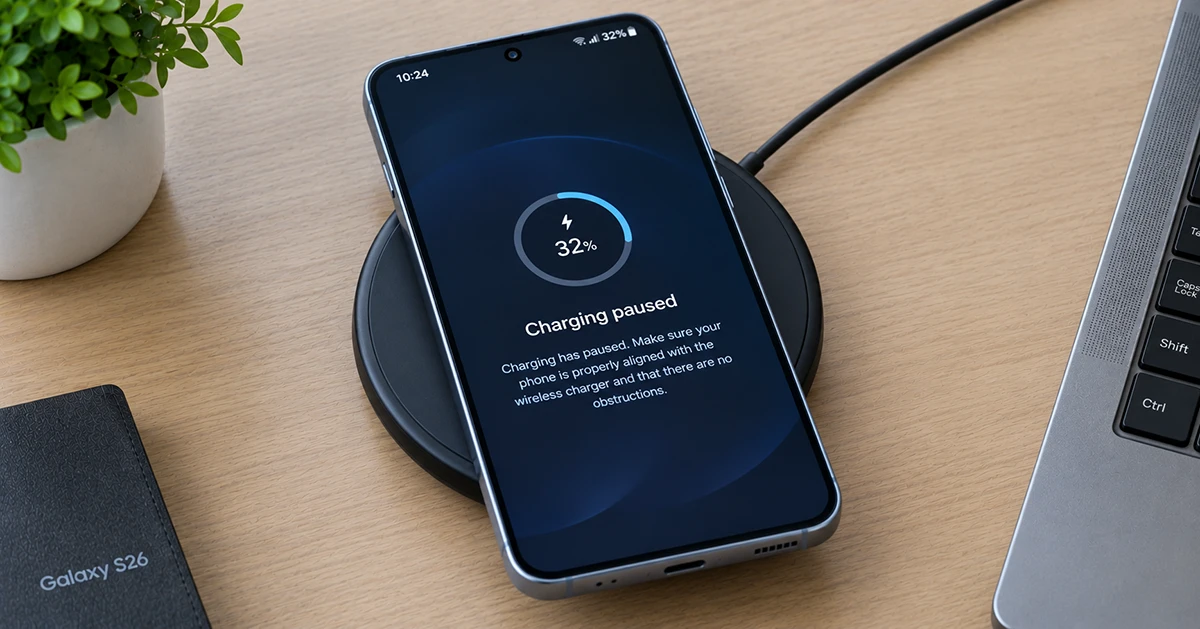
The following troubleshooting steps cover the Galaxy S26, S26+, and S26 Ultra, including slow charging and repeated charging interruptions.
Quick Fixes for Galaxy S26 Wireless Charging Problems
Try these solutions first before moving on to more advanced troubleshooting.
| Problem | Possible cause | Recommended fix |
|---|---|---|
| Phone does not charge at all | Poor alignment or incompatible charger | Center the phone on a compatible Qi pad |
| Wireless charging starts and stops | Loose power connection or misalignment | Check the charger’s cable and reposition the phone |
| Charging is unusually slow | Charger limitations or disabled fast charging | Check charging settings and charger specifications |
| Phone becomes hot while charging | Heat buildup or demanding background activity | Disconnect the charger and let the phone cool |
| Magnetic charger will not align | Phone lacks built-in Qi2 magnets | Use a compatible magnetic case |
| Charging fails with a case attached | Case thickness or metal accessories | Remove the case and test again |
Samsung recommends checking positioning, accessories, charger compatibility, temperature, and software when troubleshooting wireless charging issues.
1. Reposition Your Galaxy S26 on the Wireless Charger
Incorrect positioning is one of the first things to check when your Galaxy S26 is not charging wirelessly. The phone’s internal charging coil must align with the coil inside the charging pad.
Follow these steps:
- Disconnect the wireless charger from its power source.
- Clean the phone’s back and the charging pad with a soft, dry cloth.
- Reconnect the charger.
- Place your Galaxy S26 flat in the center of the pad.
- Wait several seconds for the charging indicator to appear.
If your charger has a narrow charging area, adjust the phone slightly until charging starts. For a car charging pad or angled wireless stand, make sure the phone remains securely positioned.
If charging starts only when the phone is held at a particular angle, test another charging pad. The original charger may have a positioning problem or an incompatible coil design.
2. Remove Your Phone Case and Other Accessories
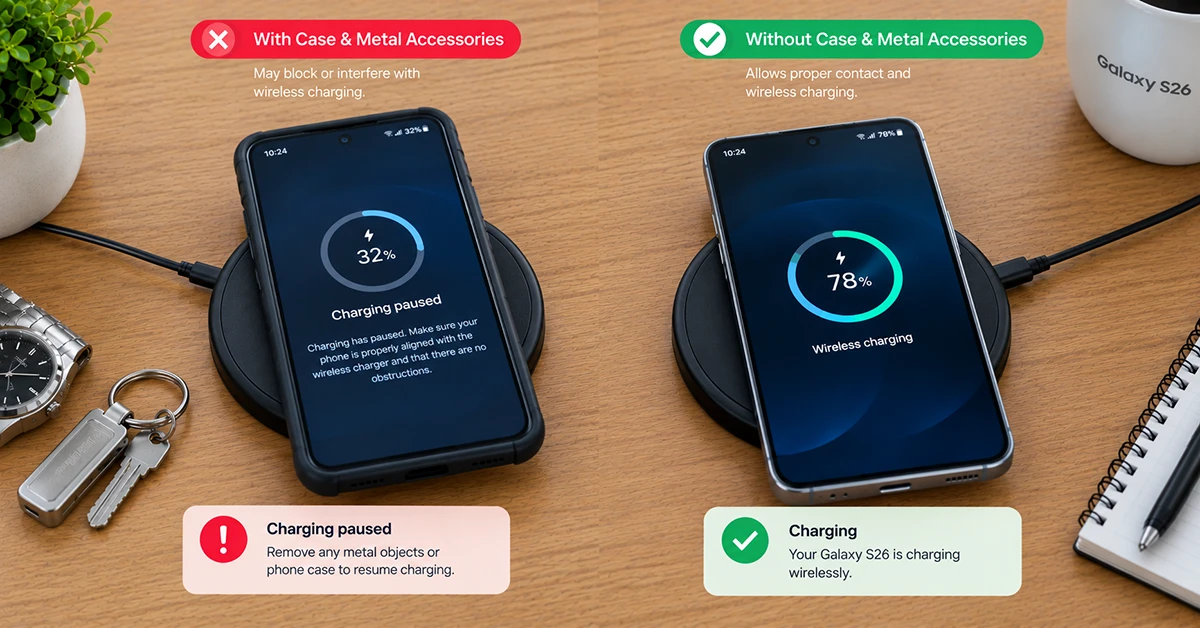
A protective case can interfere with wireless charging, especially if it is thick or contains metal components. Magnetic rings, metal plates, card holders, and adhesive accessories can also affect charging performance.
To test whether an accessory is responsible:
- Remove the case from your Galaxy S26.
- Remove any magnetic attachments, metal plates, or cards.
- Place the bare phone on the charging pad.
- Check whether charging begins and continues normally.
If wireless charging works without the case, replace it with a compatible model designed for wireless charging.
Important: The Galaxy S26 series does not have built-in magnetic alignment magnets. A compatible magnetic case can help align the phone with magnetic Qi2 accessories, but the case itself must support the appropriate charging technology. Simply attaching a magnetic ring does not guarantee maximum charging speed.
3. Check Your Wireless Charger and Power Adapter
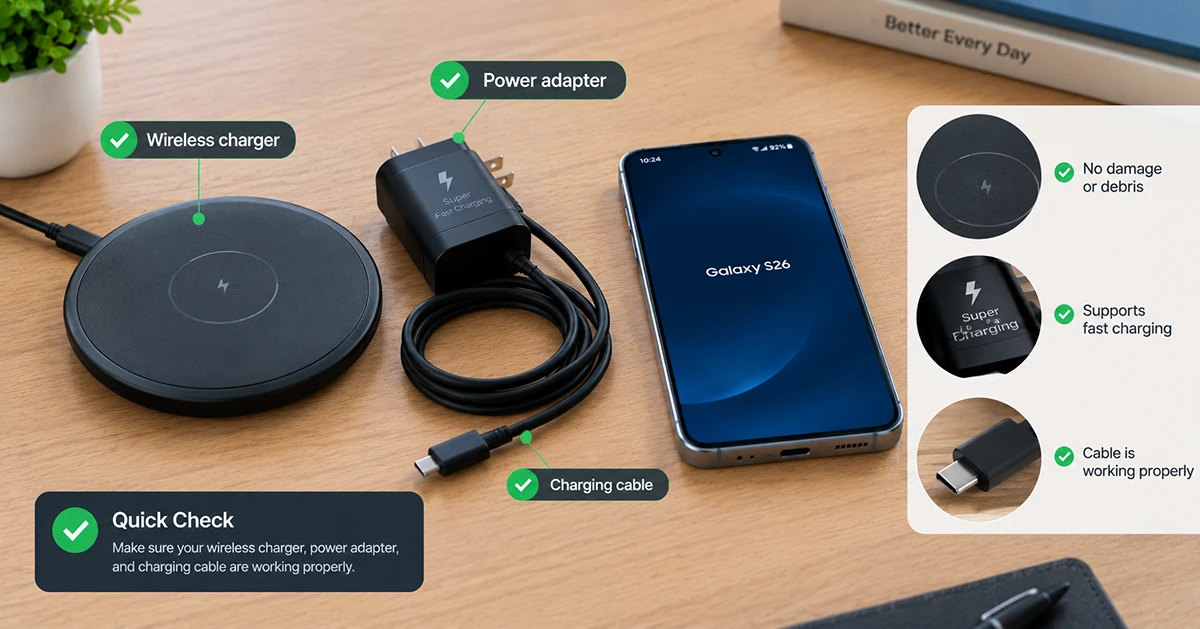
Your Galaxy S26 may refuse to charge if the wireless charger is incompatible, damaged, or receiving insufficient power.
First, verify that the charging pad supports the appropriate Qi wireless charging standard. Samsung-certified accessories are a sensible starting point, particularly if you want to use fast wireless charging.
Next, check the power connection:
- Make sure the charging pad’s cable is firmly connected.
- Use the power adapter recommended by the charger manufacturer.
- Inspect the cable and adapter for visible damage.
- Try another compatible power outlet.
- Test your Galaxy S26 with another known-good wireless charger.
If another charger works, the original pad, cable, or adapter is probably responsible.
Keep in mind that a charger advertised as supporting a high wattage does not automatically deliver that power to every phone. The phone, charging pad, power adapter, and any case must work together to support the desired charging speed.
4. Check Wireless Charging Settings
If your Galaxy S26 charges wirelessly but takes longer than expected, check its charging settings.
On supported software versions, follow these steps:
- Open Settings.
- Tap Battery.
- Open Charging settings or the available charging options.
- Look for Fast wireless charging.
- Enable the option if it is available and currently disabled.
Menu names may vary by software version and device model. If you cannot find the setting, search for “Fast wireless charging” in Settings.
Enabling fast wireless charging will not fix a faulty charging pad or an alignment problem. It also will not make an incompatible charger deliver its advertised maximum speed.
If the phone does not recognize the charger at all, continue with the remaining steps.
5. Let Your Galaxy S26 Cool Down
Excessive heat can cause a phone to reduce charging speed or temporarily interrupt charging to protect its components.
Your Galaxy S26 may become warm when charging wirelessly while gaming, streaming videos, using navigation, or running demanding applications.
Try the following:
- Remove the phone from the charging pad.
- Close demanding applications.
- Remove a thick case if it traps heat.
- Let the phone cool naturally in a well-ventilated place.
- Try charging again when it has returned to a normal temperature.
Avoid placing the phone in a refrigerator or using ice to cool it rapidly. Sudden temperature changes can cause condensation and damage the device.
Some warmth during wireless charging is normal. However, disconnect the charger if the phone becomes unusually hot, displays a temperature warning, or repeatedly stops charging because of heat.
6. Check for Qi2 and Magnetic Charger Compatibility
Wireless charging compatibility deserves particular attention if you use a newer Qi2 magnetic charger.
The Galaxy S26 series supports Qi2-related charging technology but does not include built-in Qi2 magnetic alignment magnets. As a result, a magnetic charger may not hold the phone in the ideal position without a suitable magnetic case.
This can be especially important for users trying to achieve the Galaxy S26 Ultra’s maximum advertised wireless charging speed.
Samsung’s published specifications list different charging capabilities across the lineup. The Galaxy S26 supports wireless charging up to 15W, the S26+ up to 20W, and the S26 Ultra up to 25W under supported conditions. Actual performance depends on the compatible charger, accessories, temperature, and charging conditions.
If your phone charges but never reaches the expected speed, check the charger and case specifications rather than assuming the wireless charging hardware is broken.
7. Run Samsung Members Diagnostics
If basic troubleshooting does not work, use Samsung Members to check for potential device problems.
- Open the Samsung Members app.
- Select Support or Get help, depending on the app version.
- Open Phone diagnostics or Self-diagnosis.
- Find the available wireless charging test.
- Follow the on-screen instructions.
The exact options may vary by device, region, and app version.
You should also test the phone with another compatible charging pad and test the original pad with another compatible device. This helps determine whether the problem follows the phone or the charger.
If multiple compatible chargers fail with your Galaxy S26 but work with other phones, the issue may involve the phone’s wireless charging hardware or software.
Frequently Asked Questions
Why is my Galaxy S26 not charging on a wireless pad?
The most common possibilities include poor alignment, a case or metal accessory blocking charging, an incompatible charging pad, insufficient power, or overheating. Remove the case, center the phone on the pad, and test another compatible charger.
Why does my Galaxy S26 wireless charging keep stopping?
Charging interruptions can occur when the phone shifts out of alignment, the charger loses power, or the phone becomes too warm. Check the cable, reposition the phone, and allow it to cool before trying again.
Does the Galaxy S26 support Qi2 wireless charging?
The Galaxy S26 series supports Qi2-related wireless charging technology but lacks built-in magnetic alignment magnets. A compatible magnetic case may be needed to align the phone with magnetic Qi2 accessories.
Why is my Galaxy S26 Ultra not charging at 25W wirelessly?
The Galaxy S26 Ultra’s maximum advertised wireless charging speed requires compatible charging equipment and suitable conditions. A lower-rated charger, incompatible case, poor alignment, or excessive temperature can reduce charging speed.
Should I reset my Galaxy S26 to fix wireless charging?
A factory reset should not be your first troubleshooting step. Check the charger, remove accessories, restart the phone, update its software, and run diagnostics first. If all else fails, consult Samsung Support before considering a reset.
Final Thoughts
When Galaxy S26 wireless charging is not working, start with the simplest solutions: reposition the phone, remove the case, check the charger and power adapter, and let the device cool. If charging remains unreliable, review the charging settings, restart the phone, install software updates, and run Samsung Members diagnostics. For persistent failures across multiple compatible chargers, contact Samsung Support to determine whether the device needs repair.
1 thought on “Galaxy S26 Wireless Charging Not Working? 7 Ways to Fix It”